Skip to content
OpenCineWorks

Free video editing. Optional community support.

Your story. Your timeline. Your free video editor.

OpenCineWorks is a video editor for Windows. Ask Claude or Codex for an edit and it lands on your timeline, live — cuts, captions, Telugu titles, music, transitions, screen recording and live streaming.

Windows 10 / 11 (64-bit) · Version 0.1.0

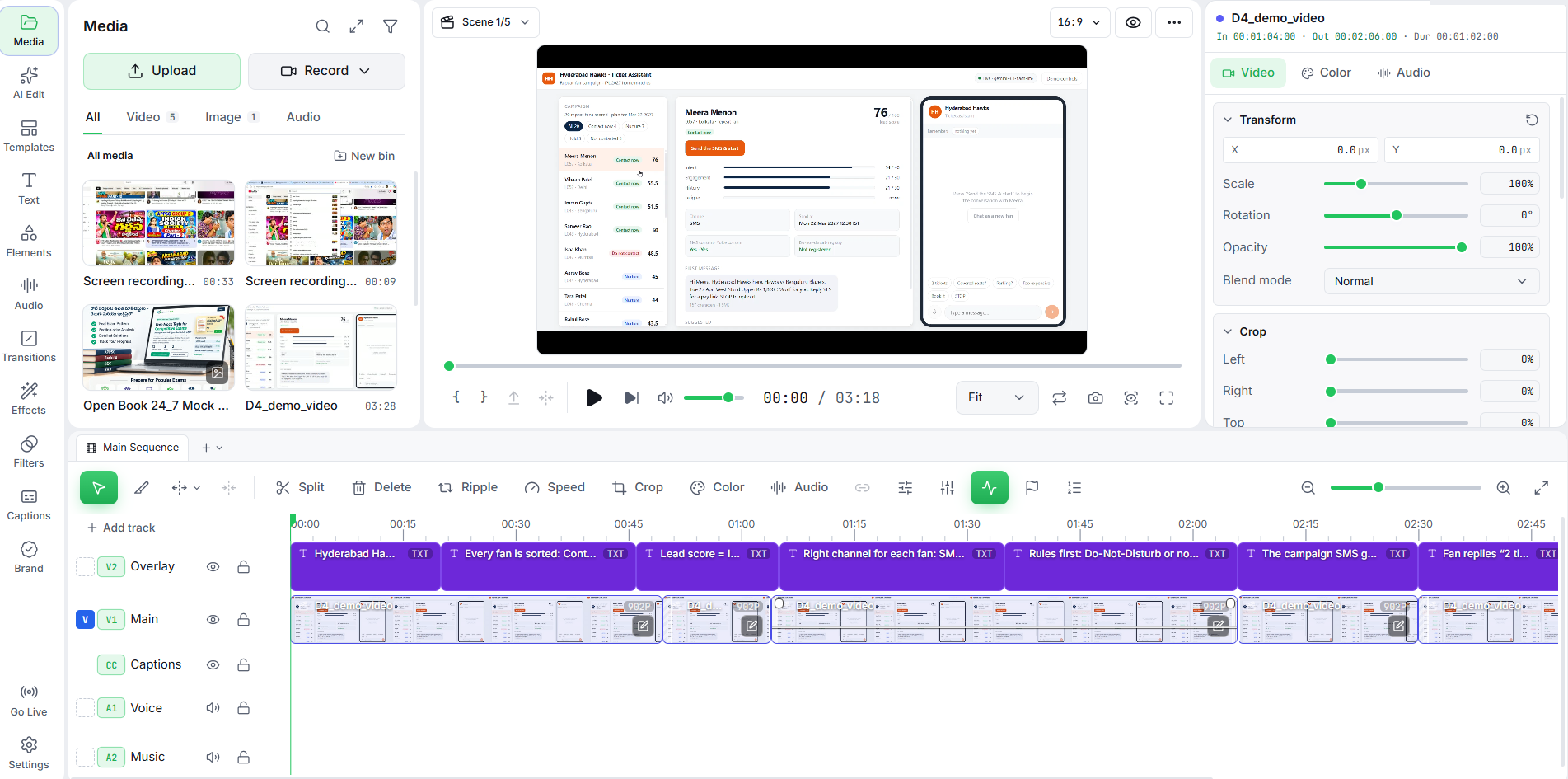
The OpenCineWorks editor: media library, program monitor, a timeline with titles over the video, and the clip inspector

Built in

Everything you need is already inside

Music, sound effects, fonts, stickers and effects come with OpenCineWorks — free to use in your videos, commercial ones too.

Free music tracks (CC0)
1,009
Free sound effects (CC0)
929
Title fonts · 22 in Telugu
115
3D emoji stickers
1,595
Transitions
30
Editing tools for AI apps
174

AI editing

Claude edits. You watch it happen.

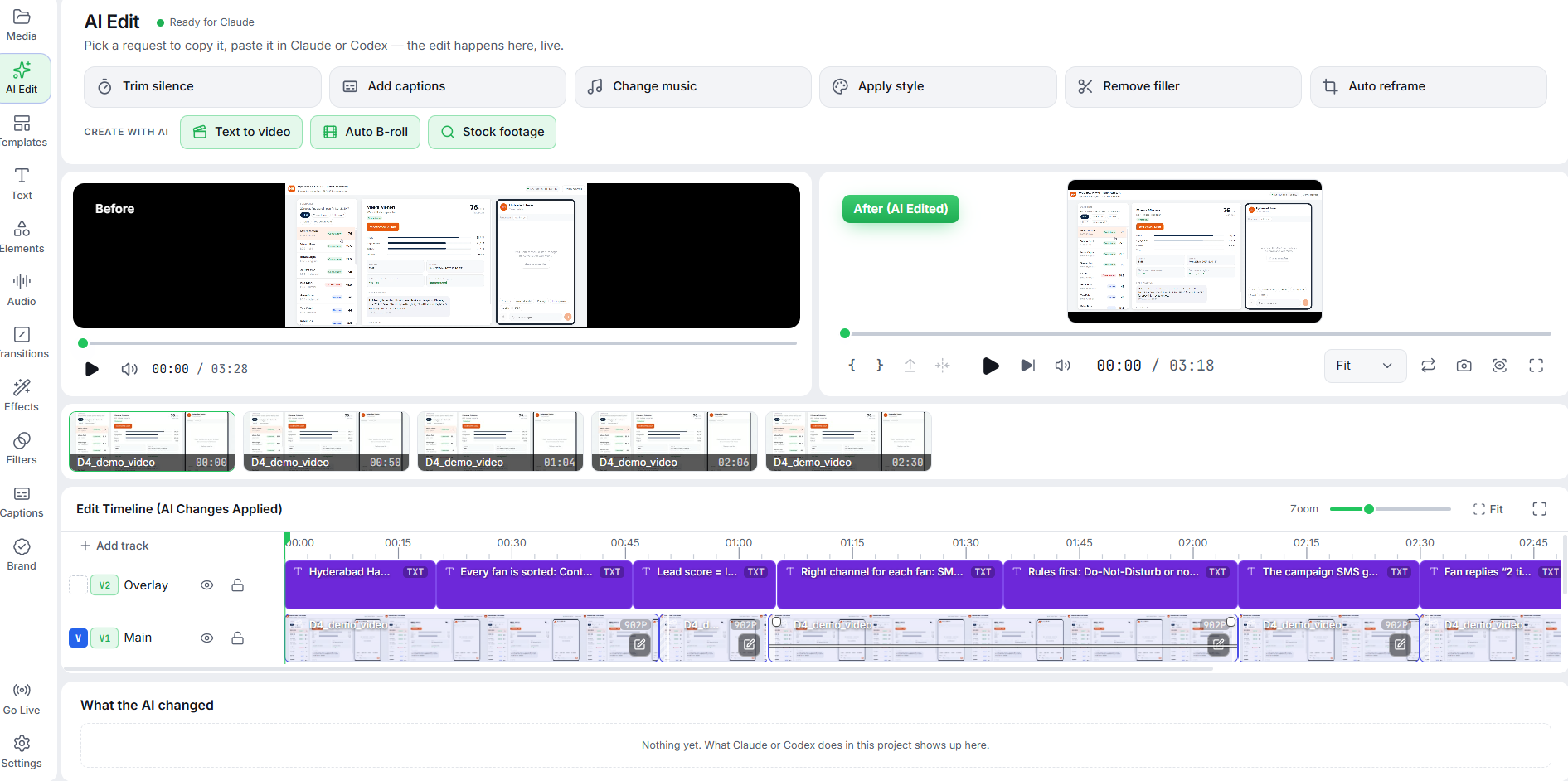
Connect Claude Desktop, Claude Code or Codex once. Then just ask — “trim the silences”, “add bold captions”, “make three shorts” — and the edit appears on your timeline.

  • Uses your Claude or Codex subscription — no API key in OpenCineWorks
  • Runs on your computer; only apps you allow can connect
  • Deletes, big cuts and exports wait for your OK
  • Every AI edit is listed and can be undone with Ctrl+Z
The AI Edit page: one-click requests, before and after previews, and the timeline the AI changed
  1. 1

    You ask

    Type a request in Claude or Codex — or pick one on the AI Edit page.

  2. 2

    The AI looks

    It reads your timeline, the transcript and a few frames from OpenCineWorks.

  3. 3

    OpenCineWorks edits

    Cuts, captions, titles, music and colour land on your timeline, live.

  4. 4

    You decide

    Keep it, tweak it, or press Ctrl+Z.

Highlights

A full editor, made for creators

Every panel below is a real screenshot of OpenCineWorks.

Text & titles

Titles in your own language

Headings, subtitles and 40 ready-made title templates with 115 fonts — including 22 Telugu fonts. Telugu, Hindi and other Indian scripts export perfectly shaped.

  • YouTube, social, cinematic, lower-third and Telugu templates
  • Outline, shadow, box and entrance animations
  • What you see in the preview is what you export
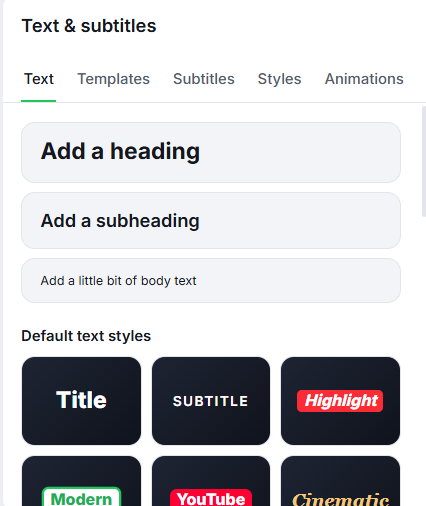
Text panel with headings and default text styles

Music & sound

Free music and sound effects, built in

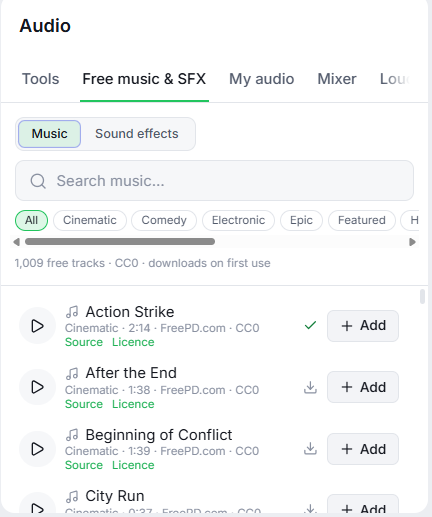
1,009 music tracks and 929 sound effects — whooshes, pops, clicks, impacts and jingles. All public domain (CC0): use them in any video, no credit needed.

  • Search, preview and add in one click
  • Music sits under your edit and ducks under speech
  • Downloads once, then works offline
Free music library with 1,009 CC0 tracks, categories and one-click Add

Transitions

30 transitions, previewed on your clip

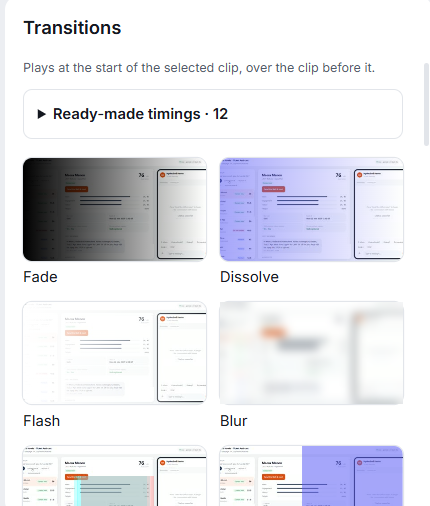
Wipes, circles, blinds, whips, blur, flash and more — every one renders in the export exactly as it plays in the preview.

  • Ready-made timings
  • Works between any two clips on a track
Transitions previewed on your own clip: fade, dissolve, flash, blur and more

Effects

Looks and effect recipes

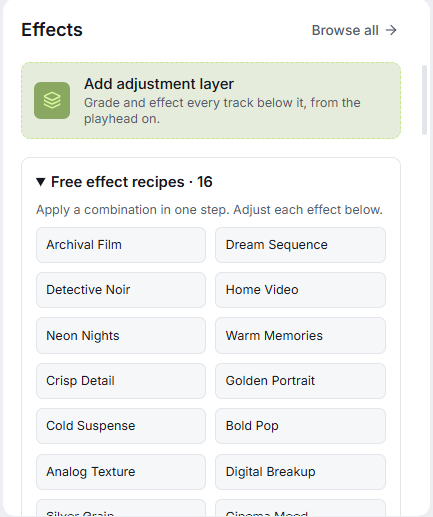
Colour looks like Golden Hour, Noir and Cyberpunk, plus film grain, VHS, glitch and letterbox. Recipes apply a whole look in one step; adjustment layers grade everything below.

  • 22 effects you can stack and tune
  • Adjustment layers for the whole edit
Effects panel with adjustment layers and free effect recipes

Captions

Captions that grab attention

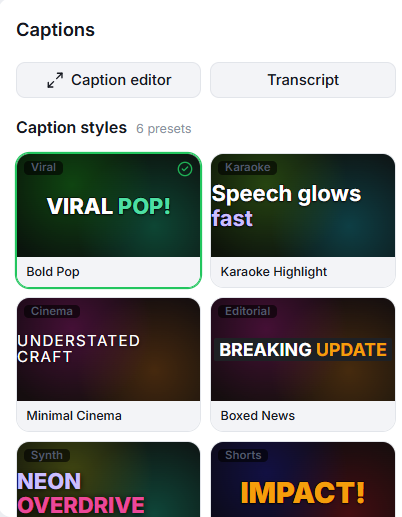
Transcribe your video, then style captions with presets like Bold Pop, Karaoke Highlight and Boxed News — or fine-tune every word in the caption editor.

  • Speech-to-text on your computer
  • Translations and subtitle files
Caption style presets: Bold Pop, Karaoke Highlight, Minimal Cinema, Boxed News

Graphics

Motion graphics and stickers

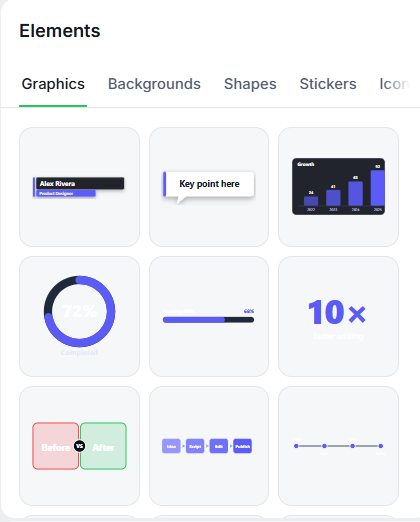
Lower thirds, callouts, charts, progress bars and before / after cards — plus icons and 1,595 3D emoji stickers.

  • Edit the text and numbers right on the timeline
  • Recolour icons and shapes
Elements panel with motion graphics: lower thirds, callouts, charts, progress and comparison

Record & go live

Record your screen. Stream your edit.

Capture and broadcast without another app.

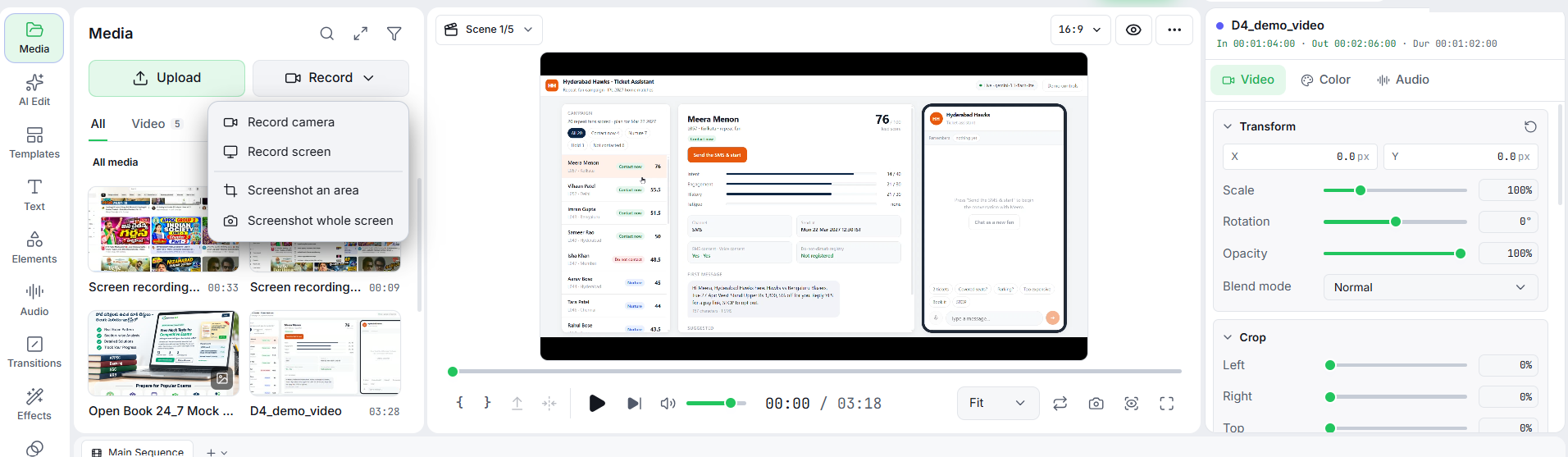
The Record menu: record camera, record screen, screenshot an area or the whole screen

Camera & screen

Record the camera or any screen, with microphone and computer sound.

Just an area

Drag out a box like the Snipping Tool — only that part is recorded.

Screenshots

Capture an area or the whole screen straight into your media.

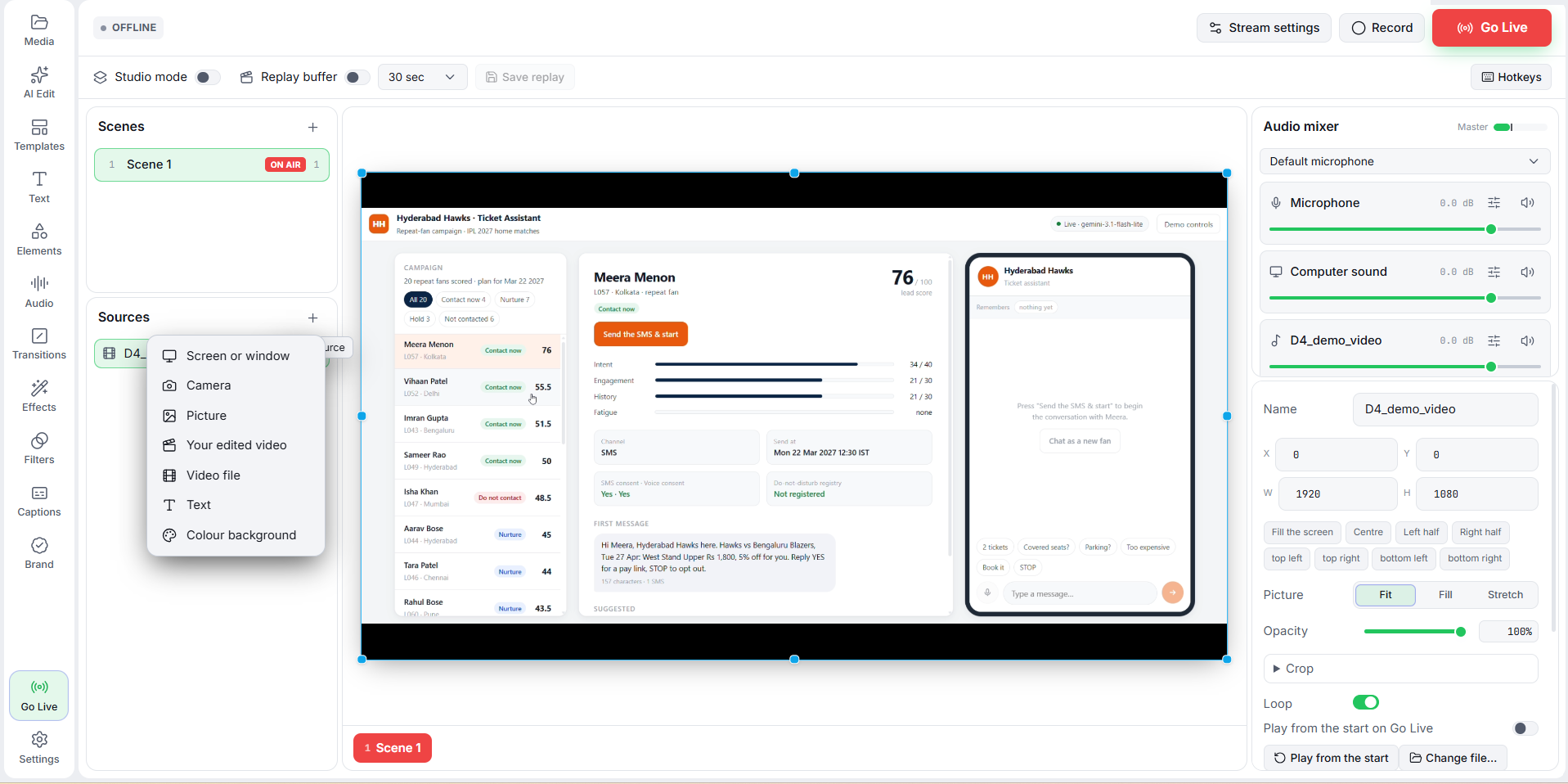
The Go Live studio: scenes, sources with the edited video, the program preview and the audio mixer

Stream your edit

Pick your export as a source; it plays from the start the moment you are live.

Multistream

YouTube, Twitch, Facebook, Kick or any RTMP server — several at once.

Reconnects by itself

A dropped connection comes back on its own; your recording keeps saving.

Start editing with OpenCineWorks

Download it for Windows, then connect Claude or Codex in Settings → AI engines.

Windows 10 / 11 (64-bit) · Version 0.1.0

DONATIONS

Great stories
deserve free tools.

OpenCineWorks is free. Your donation gives us more time to make the editor better for everyone who has a story to tell.

No subscriptions. No feature paywalls.

What your donation makes possible

  • More time for thoughtful editing tools
  • Bug fixes and a smoother creative workflow
  • Keeping the editor free for every creator

A little goes a long way

Buy us a coffee.

Make a one-time donation. Every contribution is voluntary, and every feature stays free.

₹

Choose a whole amount between ₹1 and ₹1,00,000.

Demo checkout · No money will be charged

Your creativity comes first. If donating isn’t possible, sharing OpenCineWorks with a friend helps too.

OpenCineWorks is free to use. Optional third-party AI services may charge separately through your own account.

Your donation preview

₹300

This is a demo. No payment has been taken. Razorpay checkout will be connected when donations go live.